
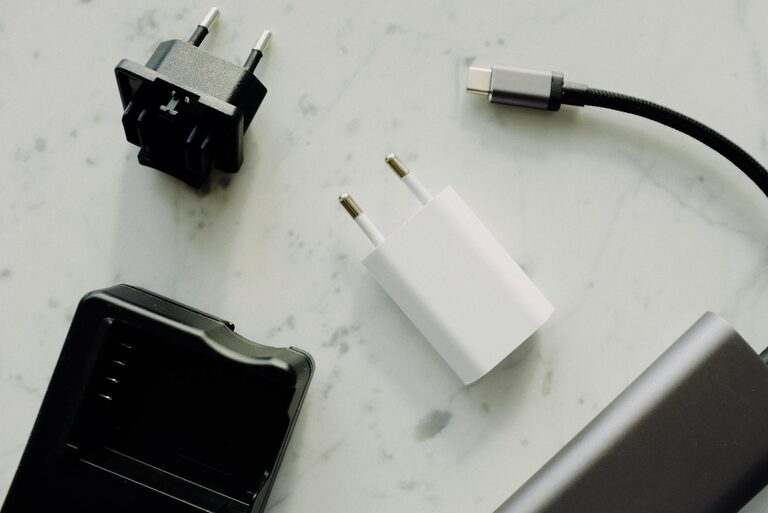
Setting up a dedicated charging station for your devices can help keep your home organized and make powering up easy and efficient. With multiple gadgets like smartphones, tablets, headphones, and smartwatches in daily use, having a single spot designed specifically for charging can reduce clutter, minimize the risk of lost chargers, and speed up your routine.
In this guide, we’ll walk you through the steps to create a functional charging station that suits your needs, whether it’s for a family shared area, your desk, or a common living space.
Why Set Up a Charging Station?
Before diving into the setup, it’s helpful to understand the benefits of having a designated charging spot:
– Reduces clutter: Keeps cables, chargers, and devices organized.
– Saves time: You always know where to find your charged devices.
– Protects devices: Prevents damage from cables tangled or stretched.
– Fits your space: Can be customized to suit small or large areas.
– Enhances charging efficiency: Avoids overloading outlets with proper power distribution.
Now that you know the advantages, let’s explore how to put everything together.
Step 1: Choose the Right Location
Selecting the perfect spot is the first step in your charging station success.
– Accessibility: The area should be easy to reach so you remember to charge devices.
– Power source availability: Ensure there are enough power outlets or consider using extension cords or power strips.
– Ventilation: Devices can heat up during charging, so pick a place with airflow.
– Surface space: A flat surface like a desk, side table, or shelf works best.
– Away from moisture: Keep the station away from sinks or areas prone to spills.
Common locations include a home office desk, entryway table, living room shelf, or kitchen counter.
Step 2: Gather Your Equipment
Depending on the number and type of devices you want to charge, gather the necessary tools:
– Power strip or surge protector: Offers multiple outlets and protects your electronics.
– Charging cables: USB-C, Lightning, Micro-USB, or wireless chargers depending on your gadgets.
– Charging hubs or stations: Multi-port USB chargers can reduce cable clutter.
– Cable organizers: Clips, sleeves, or ties to keep cords tidy.
– Device stands or holders: To keep gadgets upright and accessible.
– Labeling materials: Optional labels can help identify cables or charging ports.
Having all the gear ready will make assembly easier and faster.
Step 3: Design Your Charging Station Layout
Consider how many devices you need to accommodate and their charging requirements.
– Device Placement: Arrange devices so they won’t block access to each other.
– Cable Length: Use cables of appropriate length to avoid excess tangling.
– Power Source Placement: Position the power strip nearby to minimize stretched cords.
– Wireless Charging: Incorporate wireless pads for compatible devices to reduce cable mess.
– Safety: Avoid stacking devices directly on top of each other to prevent overheating.
Sketching a simple layout can help visualize the setup before you start.
Step 4: Assemble and Organize Cables
Cable management is key to a clean station.
– Use cable clips or holders: Attach them along the station to guide cables neatly.
– Bundle excess cable: Use Velcro straps or twist ties to prevent tangles.
– Label cords: Especially useful in households with many devices sharing the station.
– Route cables behind or under furniture: Keeps them out of sight and avoids tripping hazards.
– Use cable sleeves or boxes: For a streamlined appearance.
By keeping cables organized, your station will look tidy and functional.
Step 5: Add Personal Touches
Make your charging station inviting and easy to use.
– Add lighting: A small desk lamp or LED strip can help find devices in low light.
– Decorate with plants or accessories: A small plant or picture frame adds a cozy vibe.
– Include a small tray or basket: Useful for storing extra chargers, adapters, or accessories.
– Use a charging schedule: If shared with family, a simple chart can help manage charging times.
These touches make the space a pleasant part of your home routine.
Maintenance Tips
To keep your charging station working well:
– Regularly check cords: Look for fraying or damage and replace as needed.
– Clean frequently: Dust and clean surfaces and cables to keep the area fresh.
– Update chargers: Ensure your chargers match your device’s current power needs.
– Avoid overloading outlets: Prevent power strip or outlet overload for safety.
– Rotate use: If you have multiple devices, rotate which ones charge to prolong battery health.
Final Thoughts
Creating a charging station is a simple project that can add convenience and style to your living or working space. By choosing the right location, gathering proper equipment, organizing cables, and personalizing the area, you can enjoy a clutter-free and efficient way to keep all your devices ready to go.
Start small and upgrade as your gadget collection grows. Soon, charging your devices will become a seamless part of your daily routine!